
We highly recommend starting with the cheapest model available on your platform of choice, such as Haiku for Claude.
The more affordable models tend to handle replies just as well as the more advanced models, and they do it even faster.
Why the cheaper models are faster
The more expensive models include reasoning, which uses more tokens and also takes longer. For a customer support chatbot, you do not need deep reasoning skills.
Why the cheaper models are just as good
When someone submits a message in the chat widget, Resolver sends their message along with relevant content from your website and the instructions you entered. In other words, the AI model is essentially getting both the question and the answer. All it has to do is formulate this into an acceptable reply for the customer, and any modern AI model can handle this.
In the end, the solution given to your customer is going to be virtually identical whether you use the most basic or advanced model, but the basic one does it faster for a fraction of the price.
How to evaluate AI models yourself
Our recommendations aside, it can be valuable to test the models for yourself to make sure you’re satisfied with the quality of the replies given by the chatbot.
Before you begin, make sure that you have finished training your chatbot so that it is prepared to answer your sample questions.
First, navigate to the Resolver > Models menu. Then, open your chatbot at the bottom-right of the screen and ask it a question.
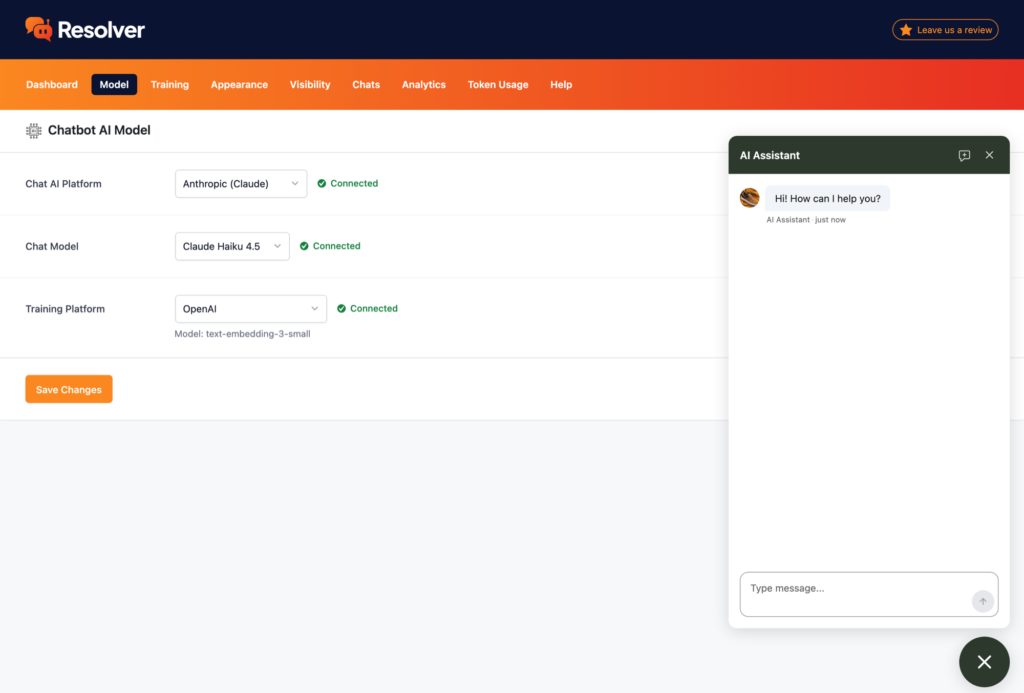
Then, use the Chat Model option to choose a new model and save your changes. Open the chatbot again, but this time, click the button in the widget to start a new chat.
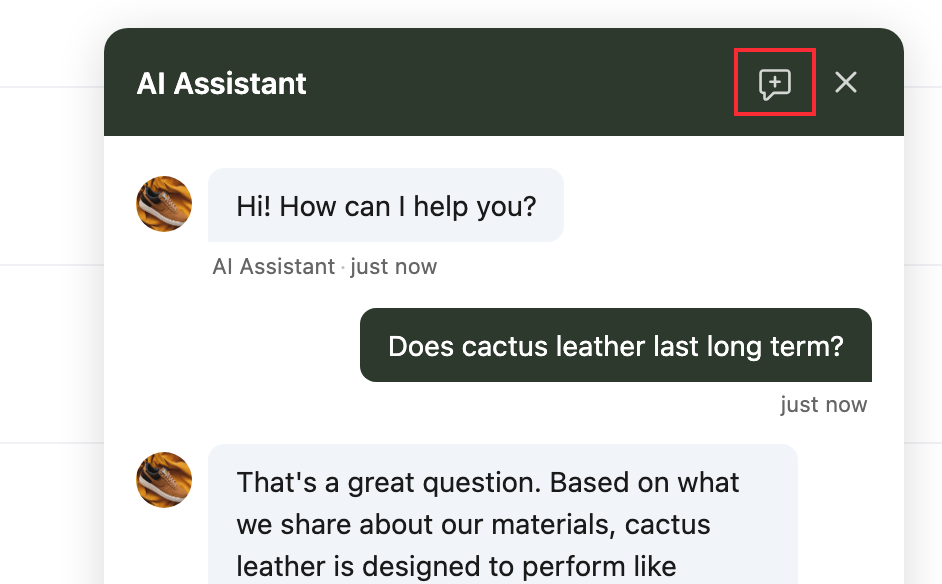
This ensures that your chatbot starts from a clean slate. Otherwise, its reply will be influenced by the previous messages. Now, you can copy and paste the same question from before into the widget and evaluate the chatbot’s reply using this new model.
Repeat these steps for each model that you are interested in trying.
Once you’re finished, navigate to the Chats menu, where you can easily flip between chats to compare your chatbot’s replies.
You can repeat this process as many times as is necessary to select the best model. Each chat includes the name of the model used, so you don’t have to remember that yourself.
Asking better questions
When testing your chatbot, you may be tempted to feed it softball questions, like “how long does shipping take?”
While that’s an okay way to get started, to really test the chatbot, it’s best to copy real questions from your customers. Find recent chats or emails you’ve had with your customers, and copy their initial message verbatim – misspellings and all. This is the best way to see how the chatbot will fare in real conditions.