
Don't operate in the dark

Without the proper analytics, it's hard to tell how well your chatbot is performing for your website.

Here's How Chatbot Analytics Improve Your Business

Insights
Get Clear Insights Into Your Chatbot's Performance

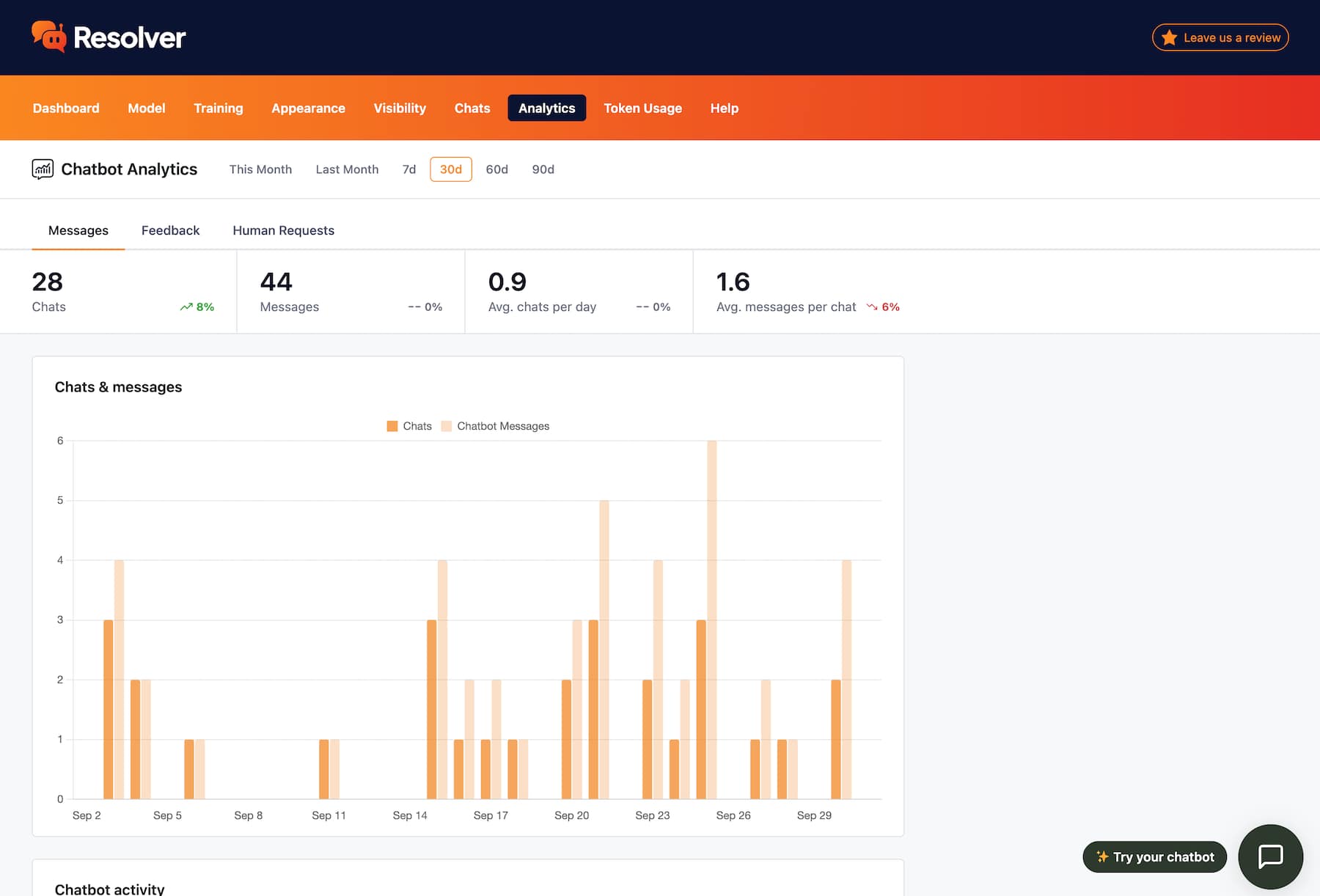
The analytics make it easy to see how many messages your chatbot is sending and how many conversations it’s handling each day.

Customizable date ranges
You can review your chatbot's performance over numerous date ranges, such as This Month, the Last 7 Days, or the Last 90 Days.
Chat analytics chart
Detailed analysis
Analyze Your Chatbot's Efficiency

Check how many messages your chatbot is sending per conversation, and analyze this metric over time to see if your chatbot is getting more efficient.

Chatbot messaging metrics
Heatmap chart
Find Your Busiest Hours

Use the heatmap chart to find the exact times each week that your chatbot is the busiest. This is valuable for understanding your customers’ habits and when they need assistance the most.

Heatmap chart

Good data is hard to come by

As the creators of the Independent Analytics plugin, we know how important good data is. That's why we built a robust analytics suite for Resolver Pro that can help you steadily improve the ROI of your chatbot.

View Pricing
Built by the creators of Independent Analytics
Reviewed & approved by the official Plugin Review Team
Tested on WordPress 7.1

Get Started

Follow these three easy steps
1
Choose a plan
Choose a plan based on the number of websites you need to install Resolver Pro on.
2
Install on your site(s)
Resolver Pro can be installed in seconds like any other WordPress plugin.
3
Watch your chatbot get to work
Resolver Pro starts answering questions right away.

Frequently Asked Questions

  • Toggle FAQ
    What metrics are included?

    For starters, the Analytics menu can show you the number of messages sent by your chatbot and the number of new chats. These are displayed in simple stats and also in a chart displaying their values over time.

    Additionally, the analytics include the average chats per day and the average messages per chat.

  • Toggle FAQ
    What date ranges can I view?

    You can view the analytics for Last Month, This Month, the Last 7 Days, Last 30 Days, Last 60 Days, or the Last 90 Days.

Still have questions?

If you have any questions, you can click here to chat with our chatbot. That's right, you can learn all about Resolver by talking to Resolver!

Learn How to Your New Analytics

Follow this tutorial to learn the ins and outs of analytics in Resolver Pro.
View the full guide
Get a Deeper Understanding of Your Chatbot
Get instant access to chatbot analytics by upgrading to Resolver Pro
View Pricing

Resolver Pro starts at $49/year, 30-day money-back guarantee

Explore These Resolver Pro Features Next

Custom Fields
Train your chatbot with custom fields.
Learn more
Product Fields
Train your chatbot with eCommerce product fields.
Learn more
PDF Training
Add PDFs to your chatbot's training data.
Learn more
Training Notes
Easily add notes to train your chatbot.
Learn more
Human Requests
See how often visitors request a real person.
Learn more
Get a Deeper Understanding of Your Chatbot
Get instant access to chatbot analytics by upgrading to Resolver Pro
View Pricing

Resolver Pro starts at $49/year, 30-day money-back guarantee