
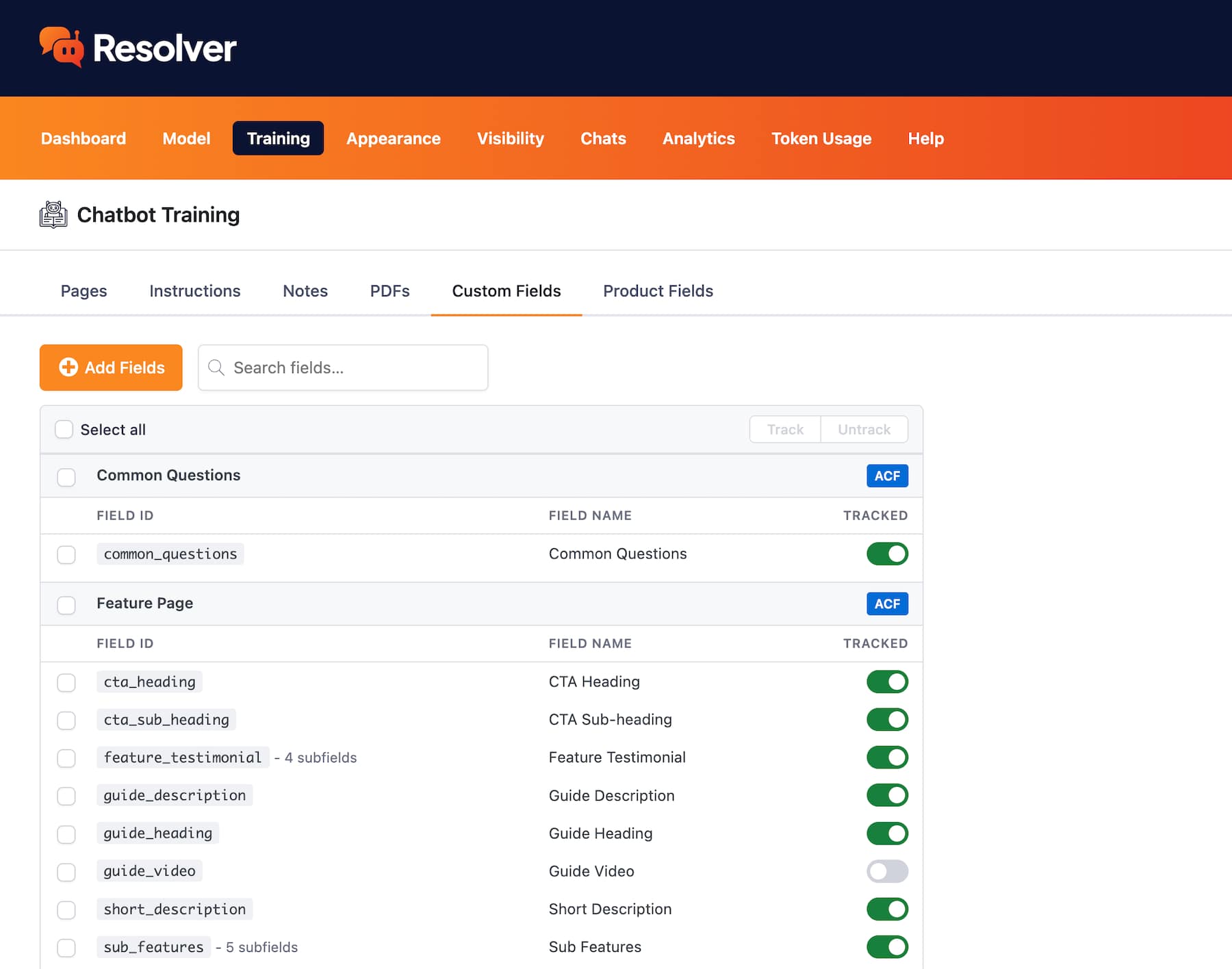
Your chatbot may be missing valuable info

Custom fields may store some of your site's most valuable text. With custom field training, you can select precisely which fields to train with and which fields to ignore.

Here's How Custom Fields Can Improve Your Chatbot

Plugin integrations
Automatically Detect Fields from Popular Plugins

Resolver Pro detects custom fields created with other plugins automatically, making it easy for you to simply choose which ones you want to include in the training data.

CMB2 Pods Meta Boxes Advanced Custom Fields Secure Custom Fields
Custom fields from Pods being tracked
Manual custom fields
Add Custom Fields Manually

You don’t have to use a plugin to create your fields. You can easily add custom fields manually by typing them in. This enables Resolver Pro to learn from all of your site’s content, not just the content in the editor.

Manually adding new custom fields to track
Filtering
Filter Your Pages by Custom Fields

Once your chatbot is trained on custom fields, you can see which pages include these fields in the Pages table. You can even filter the pages by these custom fields.

Pages filtered by a custom field

Optimizing your chatbot can be tough

Nobody wants a chatbot that can't answer important questions. That's why Resolver Pro has the tools to train on all of your site's content, and you get total control over what it knows and doesn't know.

View Pricing
Built by the creators of Independent Analytics
Reviewed & approved by the official Plugin Review Team
Tested on WordPress 7.1

Get Started

Follow these three easy steps
1
Choose a plan
Choose a plan based on the number of websites you need to install Resolver Pro on.
2
Install on your site(s)
Resolver Pro can be installed in seconds like any other WordPress plugin.
3
Watch your chatbot get to work
Resolver Pro starts answering questions right away.

Frequently Asked Questions

  • Toggle FAQ
    What custom field plugins does it integrate with?

    Resolver Pro integrates with Advanced Custom Fields, CMB2, Meta Boxes, Pods, and Secure Custom Fields. It will automatically find all custom fields created with these plugins and allow you to choose which fields you want to include in the training data.

  • Toggle FAQ
    Do I have to use one of the integrated plugins?

    No, you do not have to add any other plugins to use custom field tracking in Resolver Pro. If you have created custom fields without the use of a plugin, you can manually enter them to include their content in your training data.

Still have questions?

If you have any questions, you can click here to chat with our chatbot. That's right, you can learn all about Resolver by talking to Resolver!

Learn How Custom Fields Work with Resolver Pro

Follow this simple guide to learn how to train your chatbot with custom fields.
View the full guide
Start Training With Custom Fields Today
Take your chatbot to the next level with custom field integration.
View Pricing

Resolver Pro starts at $49/year, 30-day money-back guarantee

Explore These Resolver Pro Features Next

Product Fields
Train your chatbot with eCommerce product fields.
Learn more
Chat Analytics
Analyze your chatbot's performance.
Learn more
PDF Training
Add PDFs to your chatbot's training data.
Learn more
Training Notes
Easily add notes to train your chatbot.
Learn more
Human Requests
See how often visitors request a real person.
Learn more
Start Training With Custom Fields Today
Take your chatbot to the next level with custom field integration.
View Pricing

Resolver Pro starts at $49/year, 30-day money-back guarantee