
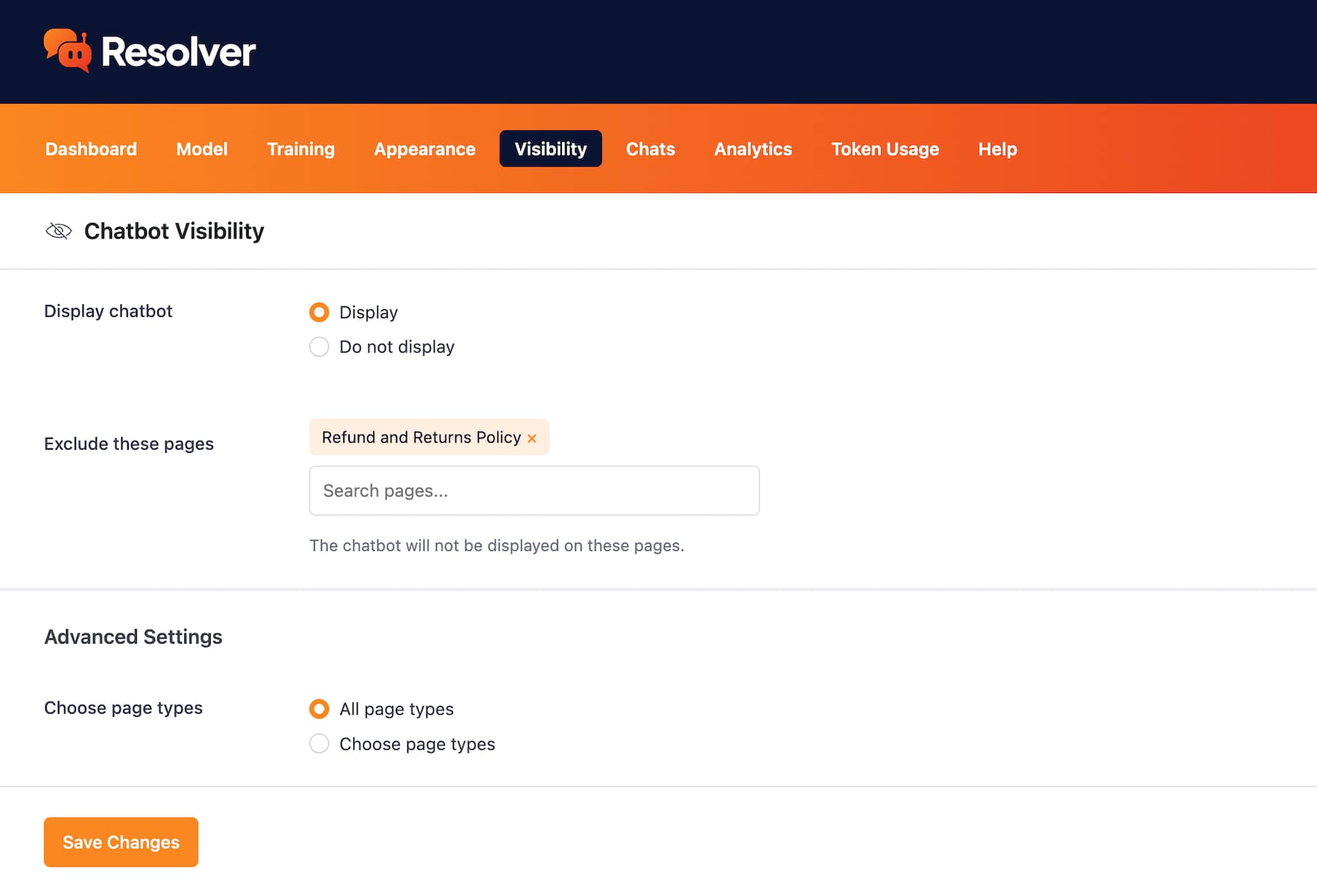
Resolver is hidden by default, giving you all the time you need to train it. Once you’re ready, it can be enabled on your site in just one click.
Control Where Your Chatbot Displays
Use fine-grained controls to decide where your chatbot should show up and where it shouldn't.
Without easy access to a helpful support agent, customers may get frustrated and bounce instead of asking for help.
Here's How You Can Control Your Chatbot's Visibility
If there are pages where you don’t want your chatbot to be displayed, you can easily search for and exclude them.
If you need more control over your chatbot’s display, you can enable and disable it on entire page types in one click. Then, choose any individual pages where you still need it to show up, even if its page type has been excluded.
We Know What It's Like to Always Be "On"
When selling online, you have to support people at all hours of the day, especially with customers in other time zones. We use Resolver for our products to get 24/7 support coverage for all our customers.
View PricingGet Started
Frequently Asked Questions
-
Toggle FAQ
Can I edit my chatbot privately first?
Yes, your chatbot will not display on your site by default. It only shows up publicly once you have published it via the Visibility menu.
If you have any questions, you can click here to chat with our chatbot. That's right, you can learn all about Resolver by talking to Resolver!
