
Your chatbot could be learner faster

You don't always want to publish a new page when your chatbot doesn't know something. Training notes make it easy to quickly educate your chatbot with more content.

Here's How to Optimize Your Chatbot with Training Notes

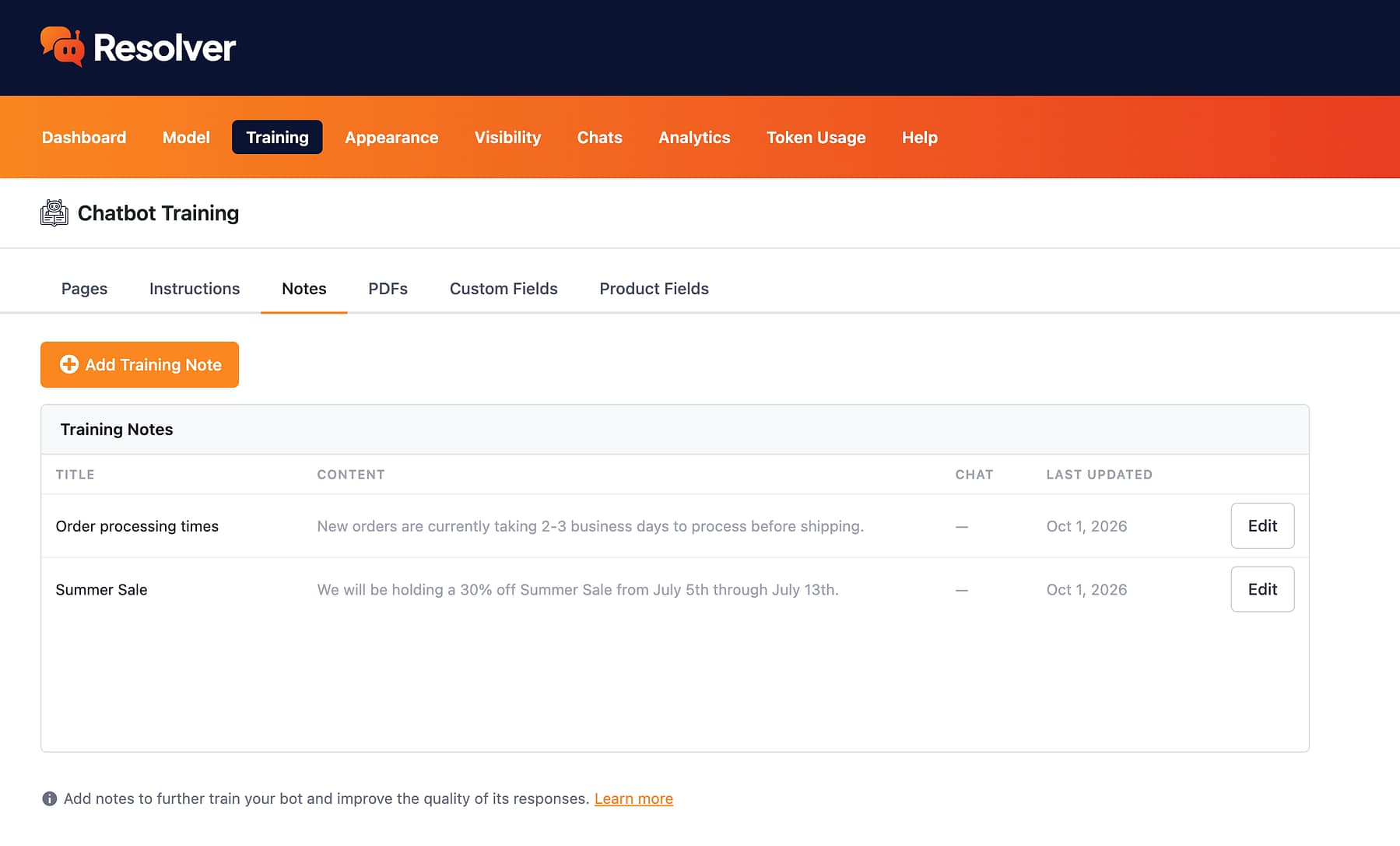
Training Notes
Easily Add & Edit Notes

Add new notes in seconds to feed your chatbot info about your business. It’s a simple solution when you don’t want to publish a whole new page or don’t know where else to share this info with your chatbot.

Adding a new training note
Publish from chats
Publish Notes During Chat Review

Use the “Add Training Note” link to create new notes while you’re reviewing recent chats. This way, you can quickly train your chatbot the moment you see it missing the info it needs for high-quality replies.

Adding a training note from a chat
Continuous optimization
Continuously Optimize Your Chatbot

Notes are a lightweight solution for continuously optimizing your chatbot, making it better and better over time. Whenever you notice it miss a question, you can publish a new note in seconds and ensure your chatbot gets it right next time.

Training note created from a chat

No one likes a dumb chatbot

Part of what makes Resolver so effective is the ease of training. With notes, you can give your chatbot fresh content in seconds, leading to higher quality replies.

View Pricing
Built by the creators of Independent Analytics
Reviewed & approved by the official Plugin Review Team
Tested on WordPress 7.1

Get Started

Follow these three easy steps
1
Choose a plan
Choose a plan based on the number of websites you need to install Resolver Pro on.
2
Install on your site(s)
Resolver Pro can be installed in seconds like any other WordPress plugin.
3
Watch your chatbot get to work
Resolver Pro starts answering questions right away.

Frequently Asked Questions

  • Toggle FAQ
    How many notes can I create?

    There is no limit to the number of notes that can be created with Resolver Pro.

  • Toggle FAQ
    How does training work for notes?

    When you create a note, Resolver Pro immediately trains on it. Within seconds, it’s prepared to answer questions about the contents of the note you created.

Still have questions?

If you have any questions, you can click here to chat with our chatbot. That's right, you can learn all about Resolver by talking to Resolver!

Learn How to Use Notes with Resolver Pro

Follow this tutorial to learn how to publish your first note with Resolver Pro.
View the full guide
Start Training Your Chatbot with Notes
Upgrade to Resolver Pro and unlock training notes for your chatbot.
View Pricing

Resolver Pro starts at $49/year, 30-day money-back guarantee

Explore These Resolver Pro Features Next

Custom Fields
Train your chatbot with custom fields.
Learn more
Product Fields
Train your chatbot with eCommerce product fields.
Learn more
Chat Analytics
Analyze your chatbot's performance.
Learn more
PDF Training
Add PDFs to your chatbot's training data.
Learn more
Human Requests
See how often visitors request a real person.
Learn more
Start Training Your Chatbot with Notes
Upgrade to Resolver Pro and unlock training notes for your chatbot.
View Pricing

Resolver Pro starts at $49/year, 30-day money-back guarantee