
Resolver integrates with three major AI platforms:
- OpenAI (ChatGPT)
- Anthropic (Claude)
- Google (Gemini)
Connect your site to an AI platform
To connect your site with one of these platforms, start by visiting the Settings > Connectors menu. Then, click the Install button for whichever AI platform(s) you want to use.
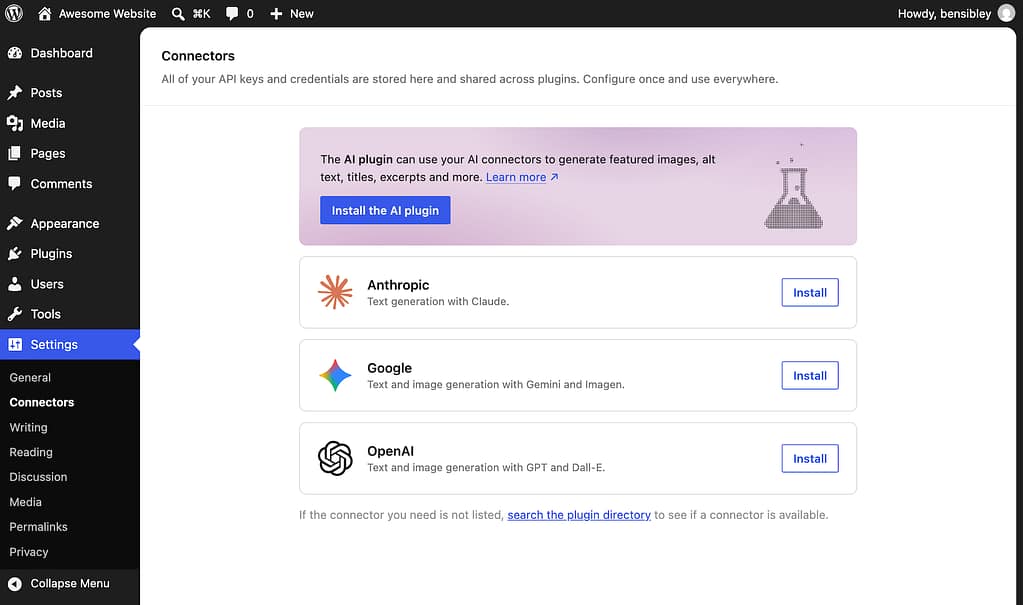
This will install and activate the connector plugin for you. Then enter your API key and click the Save button to create the connection.
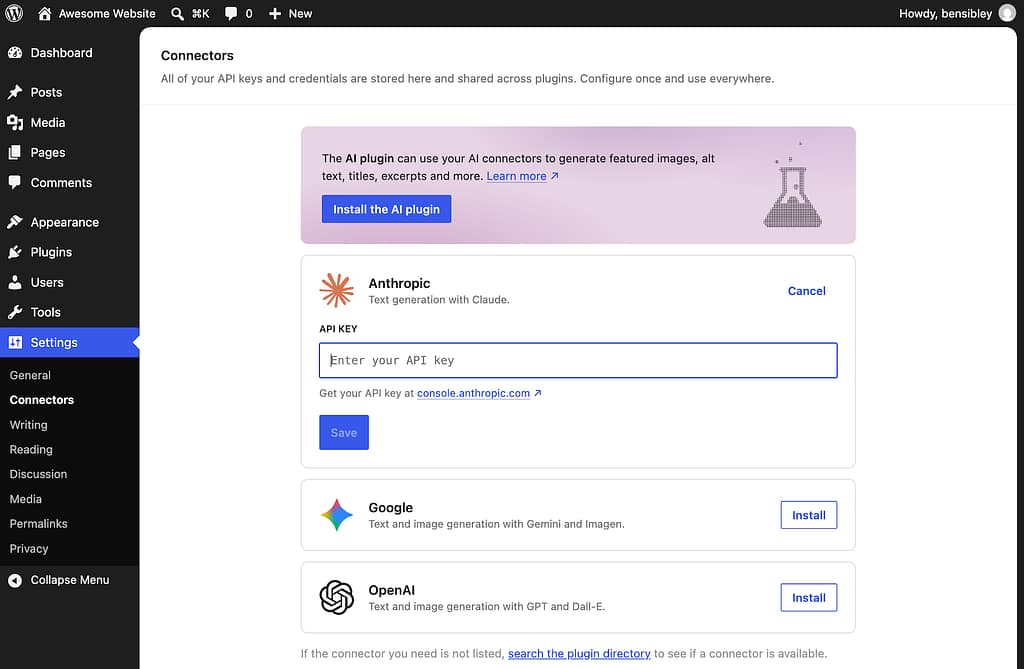
If you don’t have an API key yet, click the link provided in the Connectors menu. Or, use one of the links below:
You’ll create a free account and then generate your API key. Please note that this is a developer account, separate from any account you may already have for Claude or ChatGPT.
Once you have your API key, enter it into the corresponding input in the Connectors menu, and it will activate right away.
Select your AI platform in Resolver
To select your connected platform for Resolver, visit the Resolver > Model menu. Then, use the first option to select the AI platform that you just connected, and you’ll see a message confirming the connection.
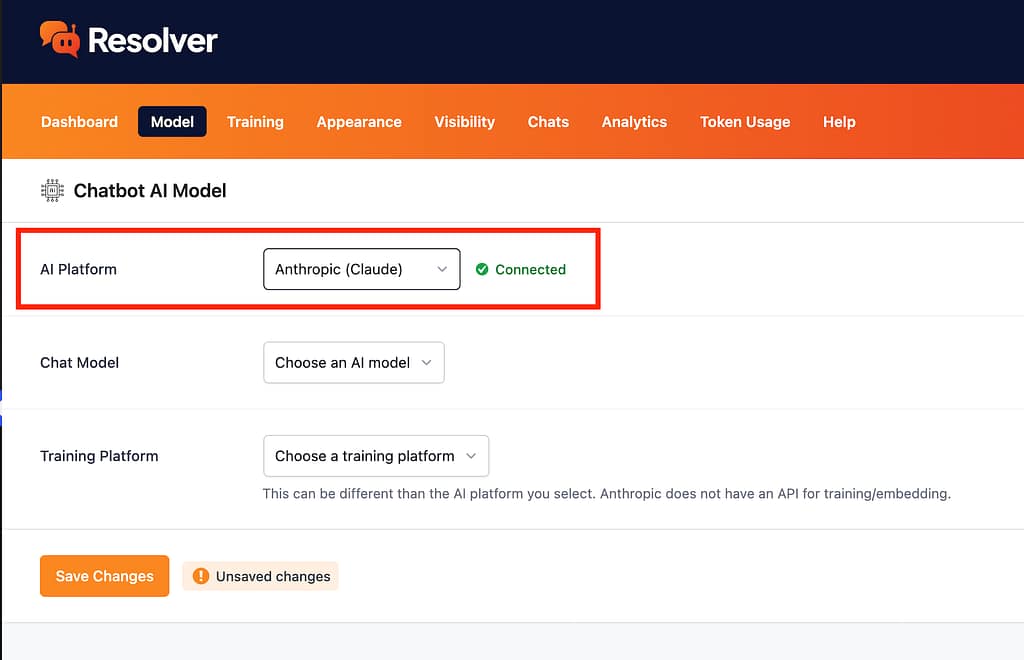
With your AI platform selected, you can continue by choosing a chat model and training platform.