
While Resolver has an auto-retraining feature, you may occasionally want to manually retrain a page.
To retrain a page, start by visiting the Training > Pages menu. Find the page you want to retrain in the table and hover your cursor over it. Then, click the sync icon that appears on the right side of that row.
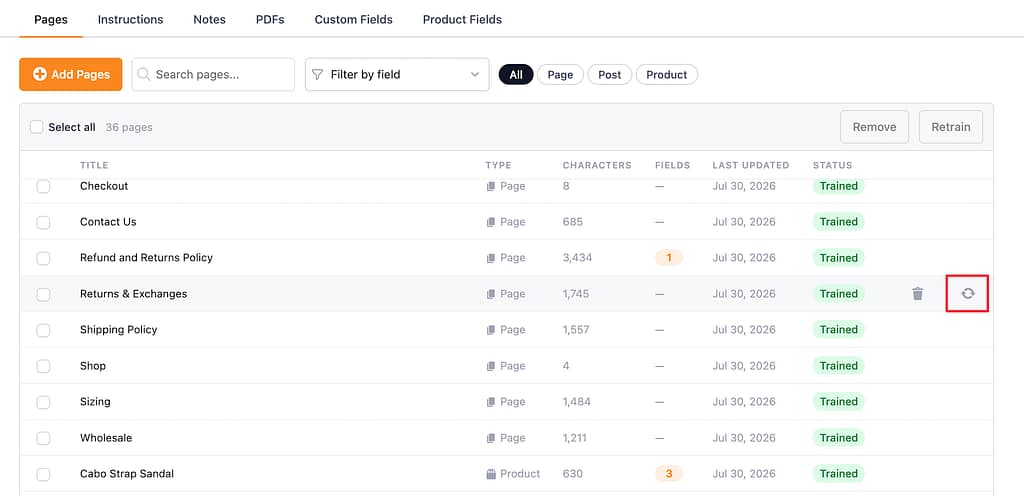
This will trigger a retraining immediately, which should complete in a few seconds.
Alternatively, you can select multiple pages and then click the Retrain button above the table.
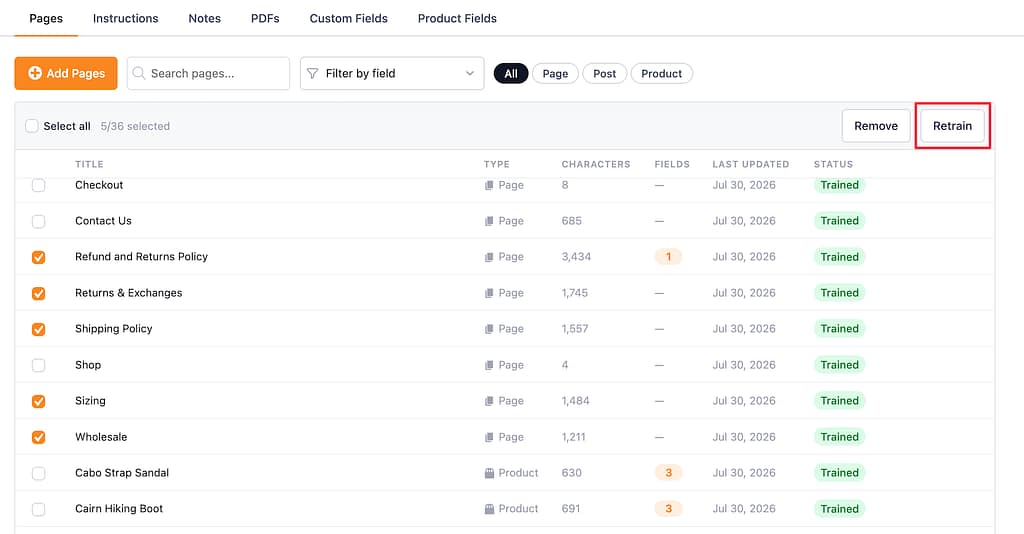
This lets you bulk-retrain many pages at once.