
This feature is only available in Resolver Pro.
Training Resolver Pro with notes is incredibly easy.
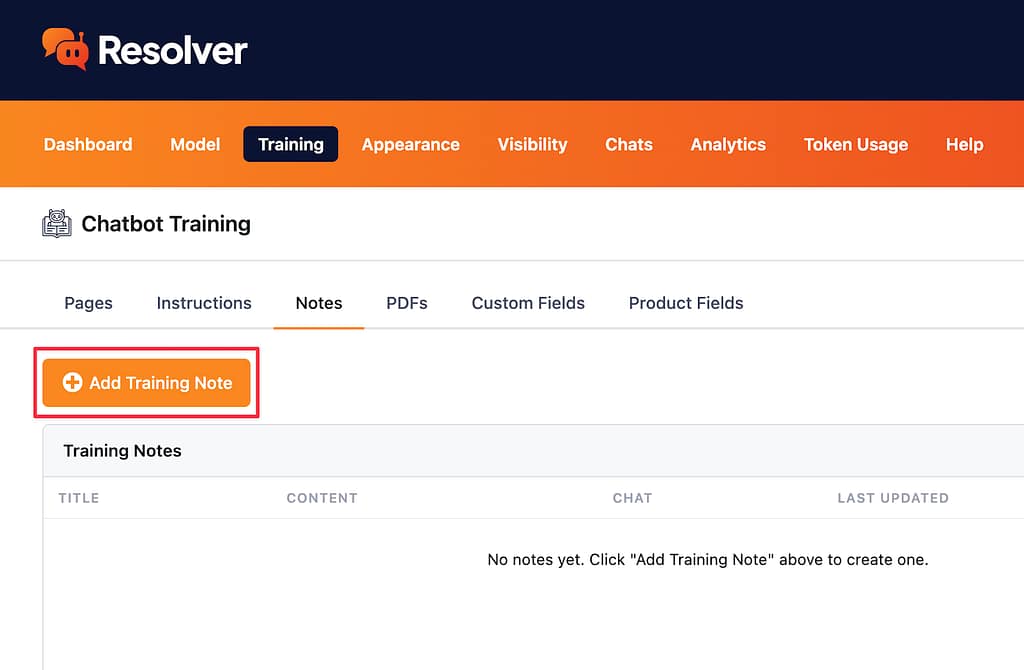
First, visit the Resolver > Training > Notes menu. Then, click the Add Training Note button.
This will open a modal where you can enter a title and content for the note. Both are required to publish the note.
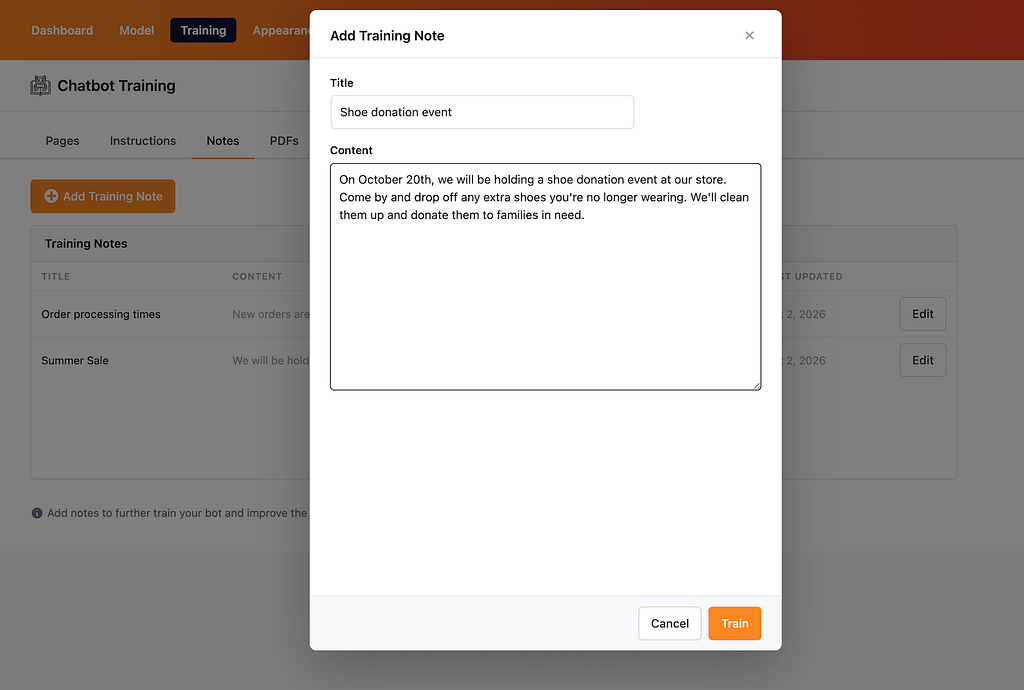
Once you’re happy with the contents of your note, click the Train button at the bottom of the modal.
Resolver Pro will immediately train on the note’s contents, and within seconds, it is prepared to answer questions using this new data.
How to edit a note
If you need to make an edit to a note, you can hover over it and click anywhere on it, or click the Edit button.
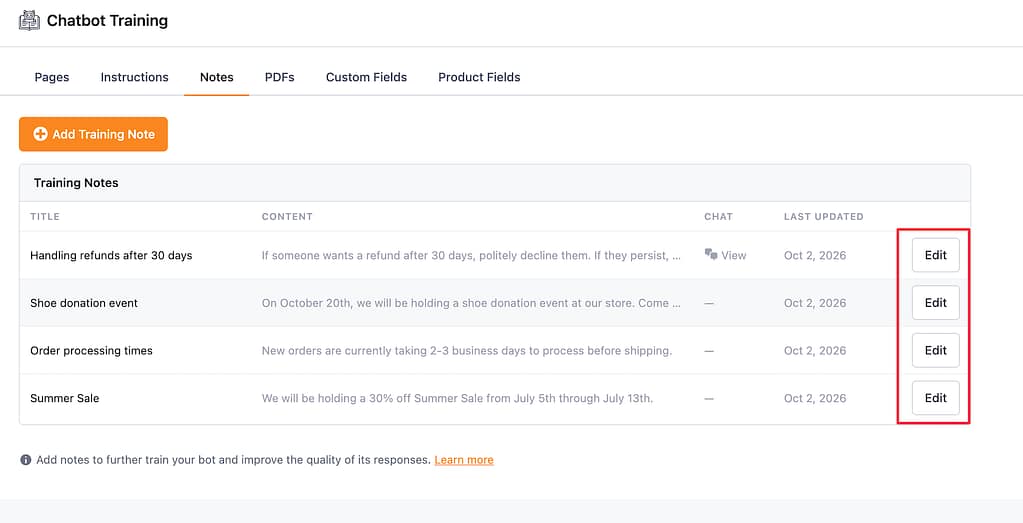
This will open the modal, where you can edit the title and/or content. When finished, click the Save Changes button, and Resolver Pro will immediately retrain the, replacing the old content with the new content.
How to delete a note
If you need to delete a note, start by hovering over it in the table and clicking the Edit button. Then, inside the modal, click the Delete button at the bottom.
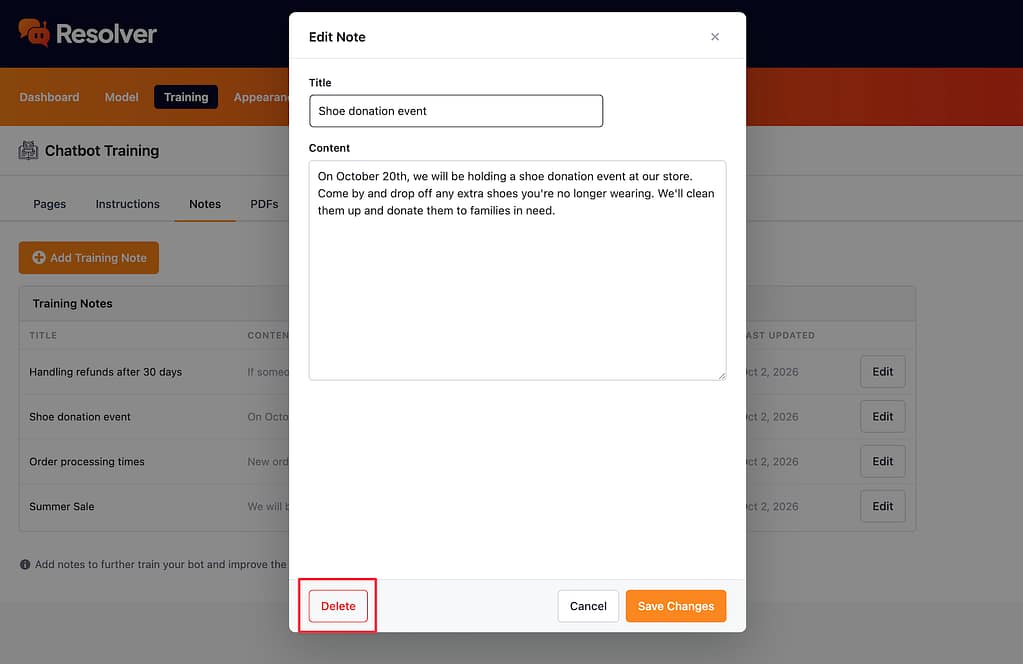
This will immediately remove the note from the page and its contents from the training data.
How to add a note from the Chats menu
It is also possible to create new notes while reviewing your most recent chats.
If you visit the Chats menu and click on a recent conversation, you will see an Add Training Note button at the top of the chat.
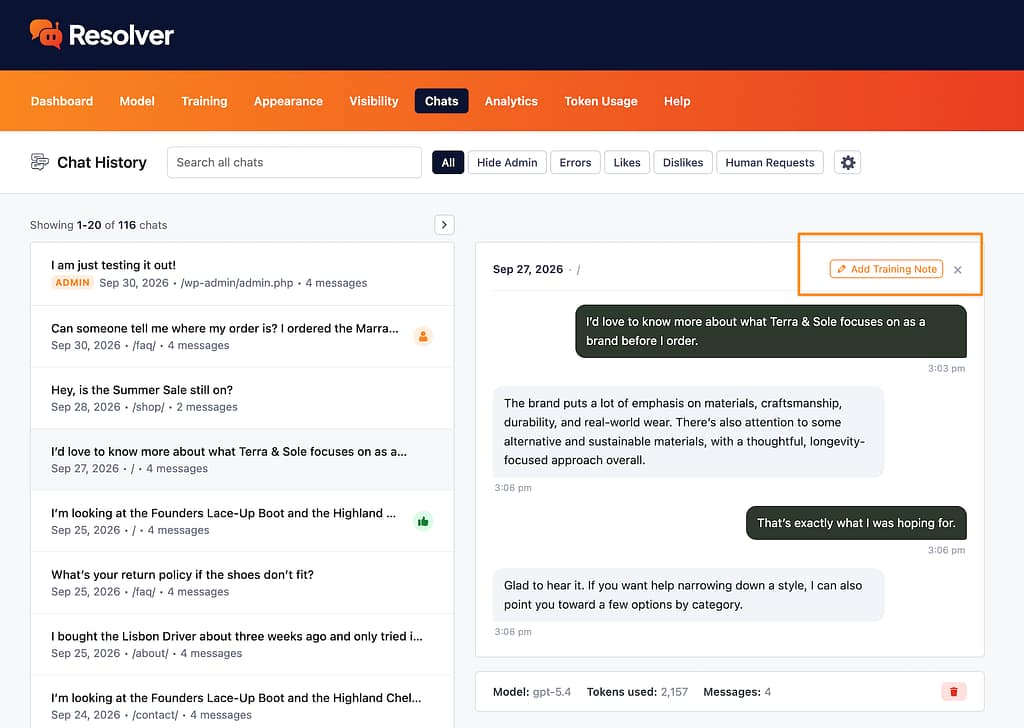
Clicking this button will reveal the same modal as before, where you can enter a title and content.
This is especially handy when you discover the chatbot is missing some info while reviewing a recent conversation. Using this feature, you can quickly add a new note so that the chatbot provides a better answer in the future.
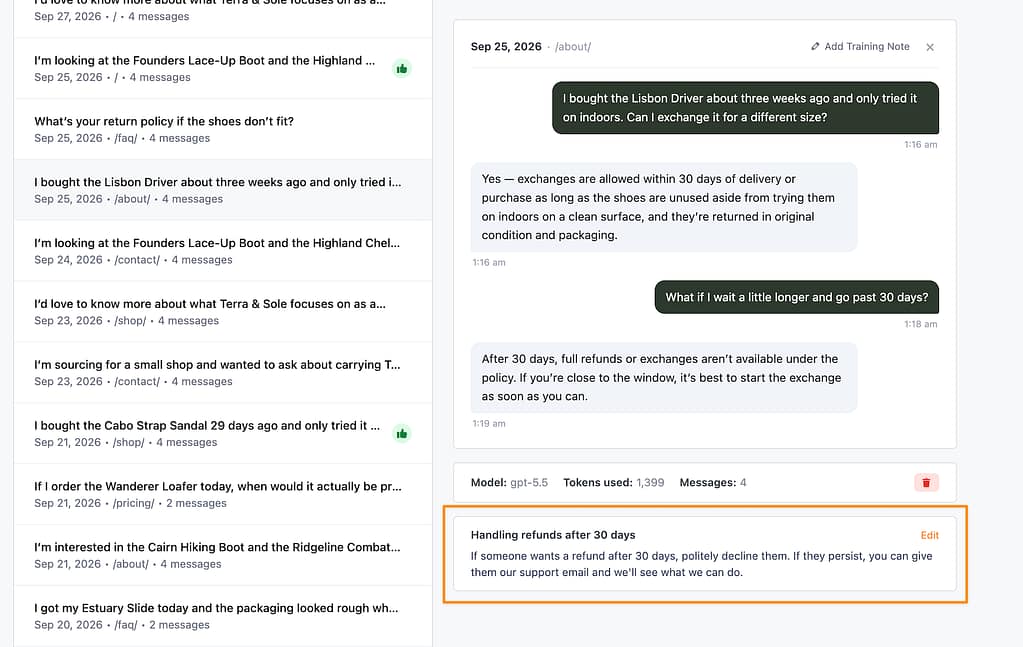
When you add a note in this way, you’ll see that it shows up below the chat and includes an Edit link you can use to modify or delete the note.
In the Notes menu, this note will also include a link back to the chat that you created it from.
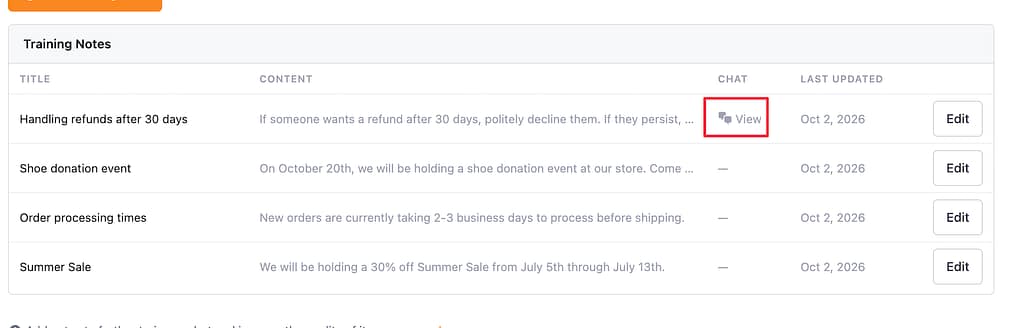
This can help you to retrace your steps in the future and understand why you created the note.