
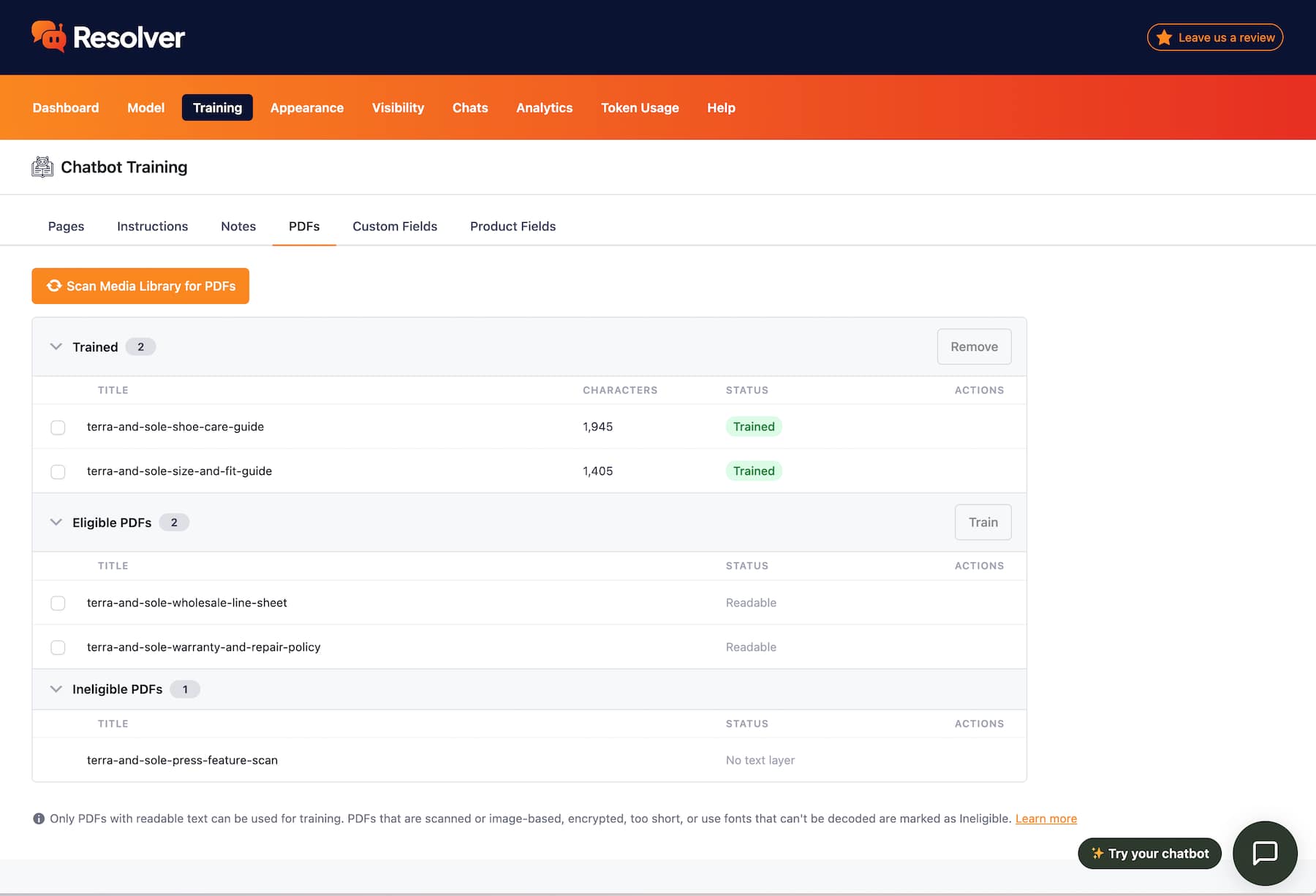
Use the PDFs submenu to quickly scan your Media Library for PDFs. Then, train your chatbot on any of the eligible documents in a matter of seconds.
Train Your Chatbot With PDF Documents
Scan your Media Library for PDFs and train your chatbot with them in seconds.
If your business regularly uses PDFs to share info, you'll want your chatbot to know about them too.
Here's How PDF Training Improves Your Chabot
Resolver scans your Media Library for PDFs, making it easy to find those you’ve already uploaded. Any new PDFs needed for training can be uploaded to the Media Library, giving you one central location for all your documents.
PDFs can be created from many different apps. Resolver can read virtually all text-based PDFs, ensuring reliable compatibility with documents you upload.
Getting organized is tough
Keeping all of the documentation around your business organized can be a challenge. That's why Resolver is designed to scan PDFs already in your Media Library, allowing you to centralize where you store them.
View PricingGet Started
Frequently Asked Questions
-
Toggle FAQ
Does it work with image-based PDFs?
No, Resolver Pro can only train on text-based PDFs. Training with image-based PDFs will require OCR technology, which we may support via external APIs in the future.
-
Toggle FAQ
How do I train it on a new PDF
There is a Scan Media Library button that will check your Media Library for eligible PDFs. Then, you can select which PDFs you want to train the chatbot with, and it will process them in seconds.
If you have any questions, you can click here to chat with our chatbot. That's right, you can learn all about Resolver by talking to Resolver!
