
This feature is only available in Resolver Pro.
Resolver Pro can automatically detect when a visitor requests to speak with a human being. This feedback can be invaluable for optimizing your customer experience.
You can find this data in the Analytics > Human Requests submenu.
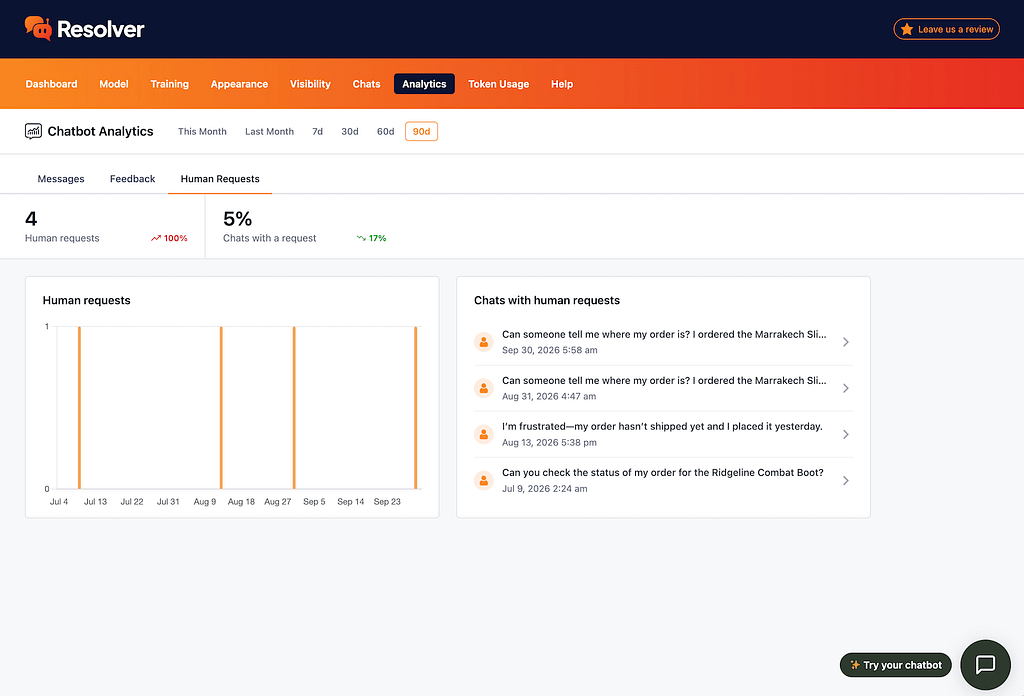
In this report, you can see the total number of requests, the requests over time, and links to the most recent chats that contain a human request.
Alternatively, you can visit the Chats menu and click on the Human Requests button to filter the chats to only those that include a human request.
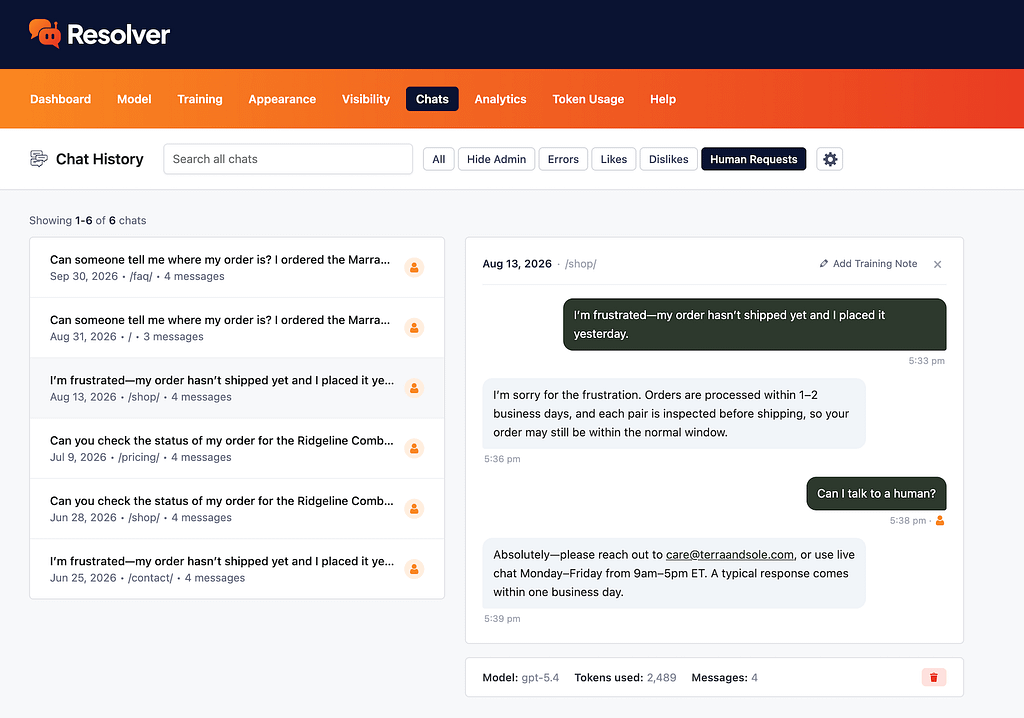
How to use this data
If someone requests a human, they are likely unsatisfied with the response given by your chatbot. If it doesn’t know something it should, this is a good opportunity to add to the training data, so it can handle this same question well in the future.
Other times, the request is for something the chatbot truly can’t help with, like issuing a refund. In these cases, you can prepare the chatbot to set expectations clearly and direct the customer to the best email address for further assistance.