
This feature is only available in Resolver Pro.
With Resolver Pro, your visitors can like or dislike any message sent by the chatbot.
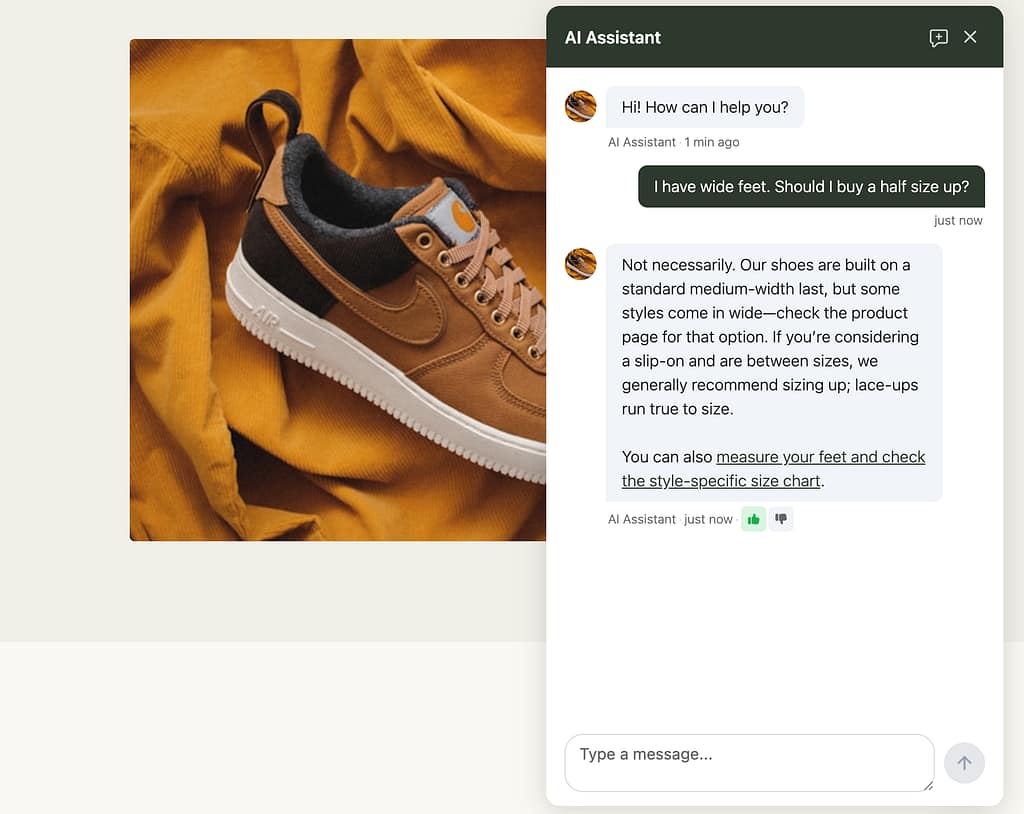
This is a great opportunity to collect feedback and understand when your chatbot is thriving and when it is failing. There are two ways you can find this data.
Reviewing the analytics
First, you can visit the Resolver > Analytics > Feedback menu. This report includes the total engagements, the percentage of rated messages, and the recently rated messages.
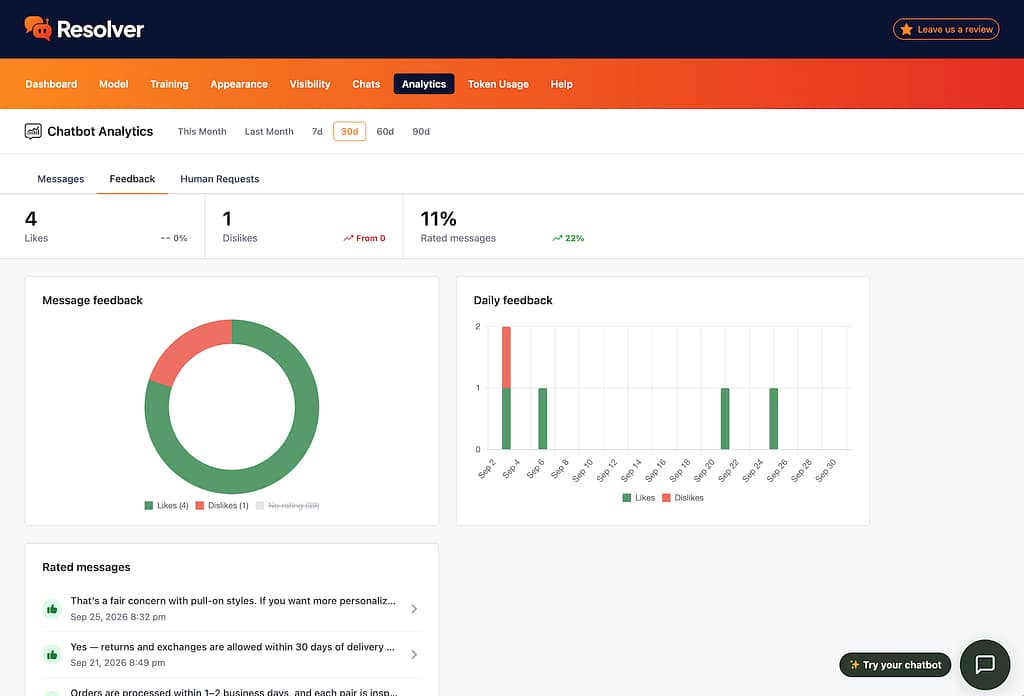
You can use the options at the top of the report to change the date range and evaluate your user feedback over time.
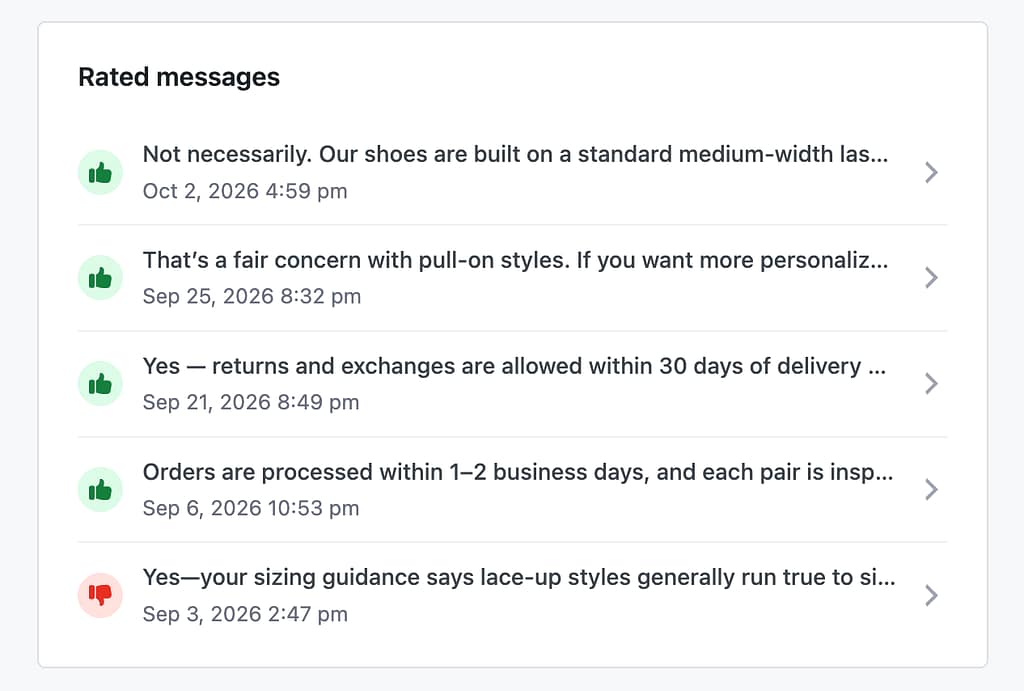
The Rated messages section at the bottom lists the most recent messages that have received a rating. This is a great way to zero in on the chats that people are enjoying vs. those that require further optimization.
Reviewing your chats
Another way to evaluate your chatbot’s feedback is to visit the Chats menu and use the filter buttons at the top. Using a filter, you can see only chats that contain a Like or a Dislike.
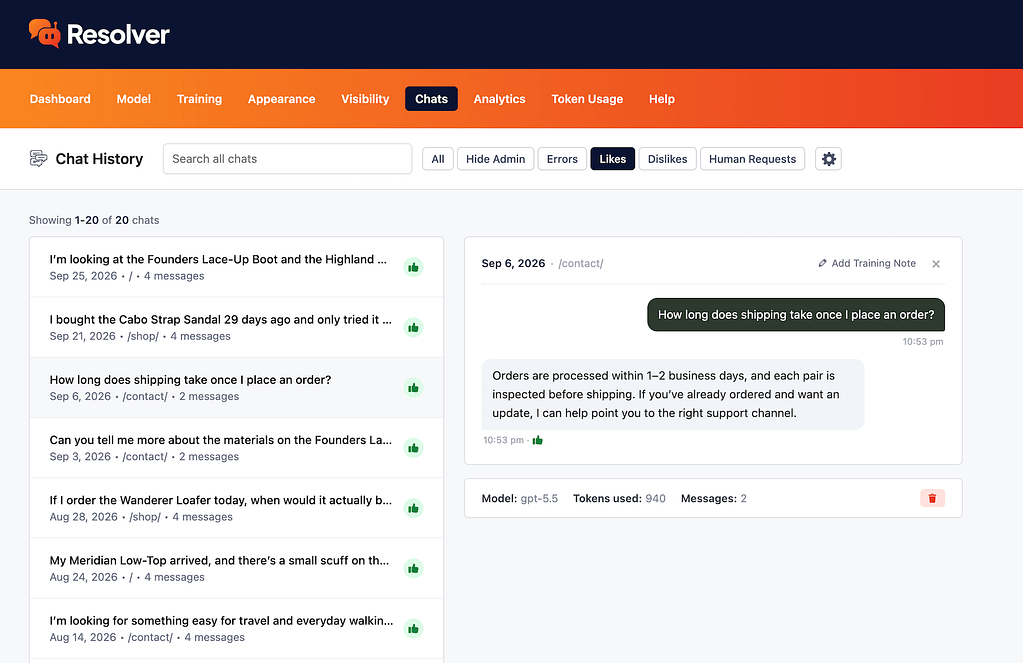
This makes it easy to quickly review the chats that are going well and those that require optimization.
Putting this data to work
The feedback from your users is highly instructive and can be used to optimize your chatbot.
For example, when someone dislikes a message, try to figure out why. Did the chatbot fail to address their concern, or are they simply unhappy with the response, even though it’s correct? You may need to update the training data to improve the chatbot’s replies in the future, or maybe you need to make a larger change to your business to satisfy customer demands.
Make a habit of reviewing this feedback so you can incrementally improve the chatbot while developing a deeper understanding of your customers’ needs.