
Unanswered questions could be costing you

If customers don't find the answers they're looking for, they might abandon your site. It's important to uncover these questions so that you can answer them before you lose the sale.

Here's How You Can Learn From Your Chatbot's Conversations

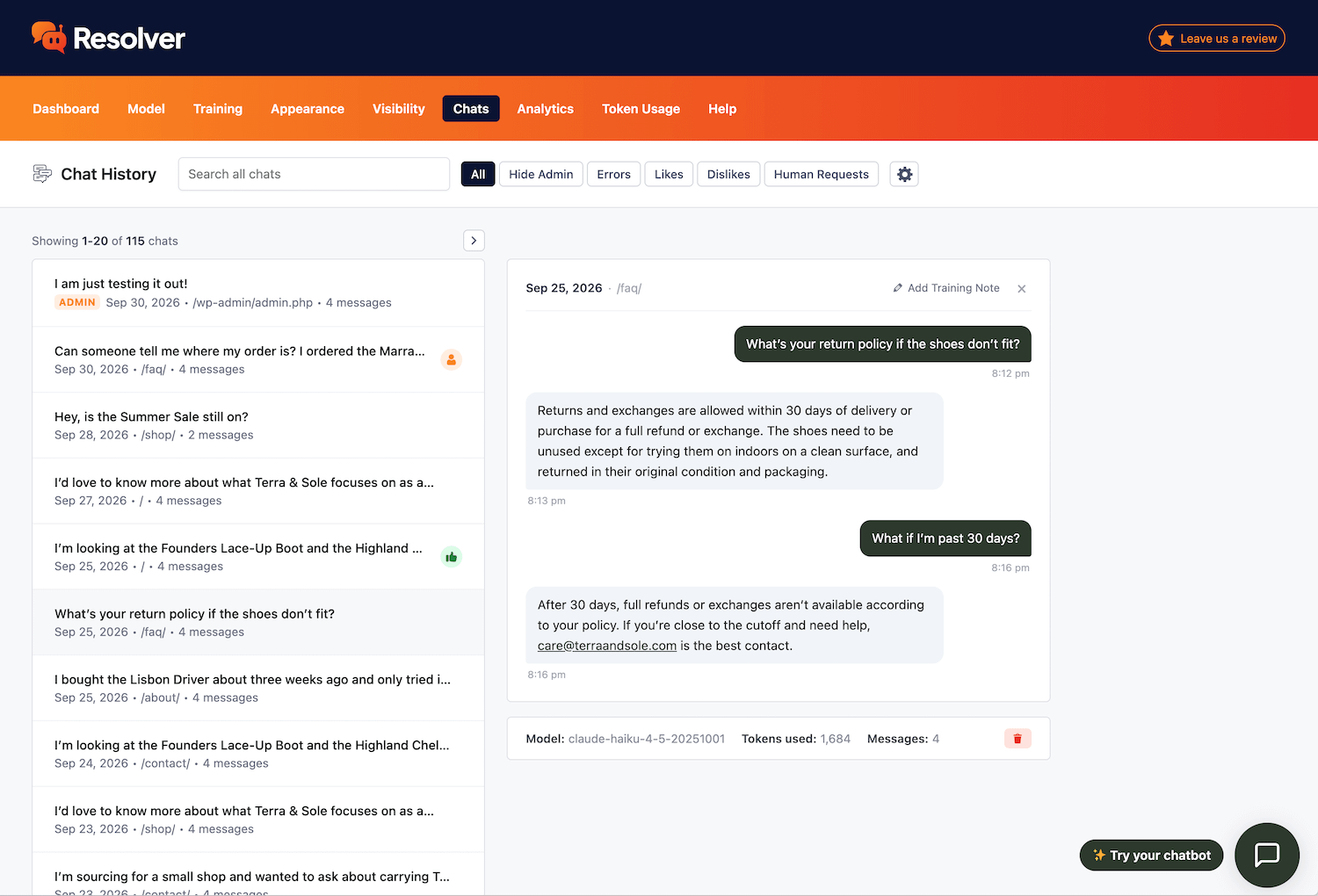
Chat review
Review Every Conversation With Your Chatbot

The Chats menu gives you access to every conversation visitors have had with your bot. Easily explore each chat to see how well your chatbot is performing.

Conversation with the chatbot
Customer insights
Learn More About Your Leads & Customers

The conversation history is a goldmine of customer insights. See exactly what questions people are asking and learn how you can better serve them.

Reviewing a conversation with the chatbot
Continuous optimization
Find Gaps in Your Knowledge

When your chatbot doesn’t provide a strong answer, this is a sign to improve your content. You can update existing articles or publish new ones so that your chatbot can better handle similar questions in the future.

Unlock continuous optimization
By routinely reviewing the chats, you can steadily improve your site's content, optimizing both the chatbot's performance and the experience for visitors who prefer navigating your content themselves.
Negative feedback on a chatbot message

Predicting customer needs is never easy

Answering all your customer's questions before the sale requires a deep understanding of them. With Resolver's chat history, you can systematically review and address the questions going unanswered.

View Pricing
Built by the creators of Independent Analytics
Reviewed & approved by the official Plugin Review Team
Tested on WordPress 7.1

Get Started

Follow these three easy steps
1
Download Resolver
Resolver can be installed in seconds like any other WordPress plugin.
2
Configure your chatbot
Pick a model and train the chatbot on your content.
3
Watch your chatbot get to work
Resolver starts answering questions right away.

Frequently Asked Questions

  • Toggle FAQ
    Is there a limit to the number of chats?

    No, there is no limit to how many chats visitors can have with your chatbot. Resolver doesn’t place any restrictions on its usage.

  • Toggle FAQ
    How long are chats stored for?

    By default, the conversations are stored indefinitely in the WP database, but you can limit the storage to 30 days, 60 days, 90 days, 6 months, 1 year, 2 years, or 3 years.

Still have questions?

If you have any questions, you can click here to chat with our chatbot. That's right, you can learn all about Resolver by talking to Resolver!

Learn How to Review Your Conversations with Resolver

Follow our step-by-step guide to review your conversations and draw insights to better optimize your website.
View the full guide
Learn More About Your Target Audience with Conversation History
Download Resolver today and find out what your visitors are asking
Download now

Free to install and use as long as you'd like